MyDlink Adapter for ioBroker.
Allows to control power sockets or motion detectors from D-Link from within ioBroker.
Currently tested devices:
| Model | Type | Image |
|---|---|---|
| DSP-W215 | Smart Plug (socket, temperature, current) Needs polling | 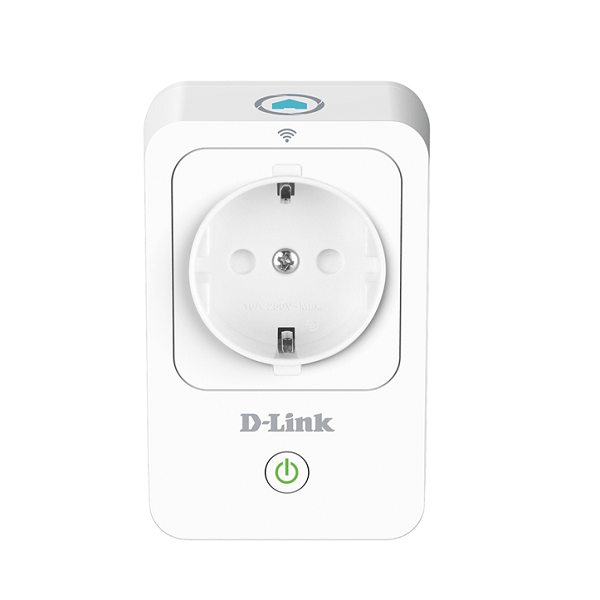 |
| DSP-W115 | Smart Plug (socket) | 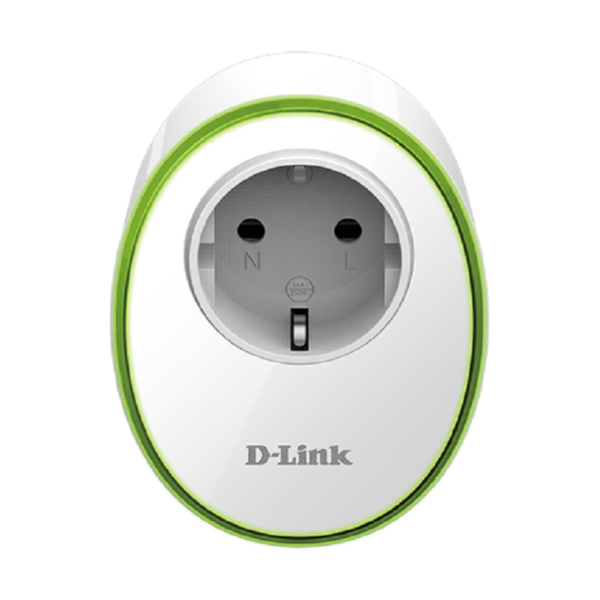 |
| DCH-S150 | Motion Detector (last motion detected) Needs polling | 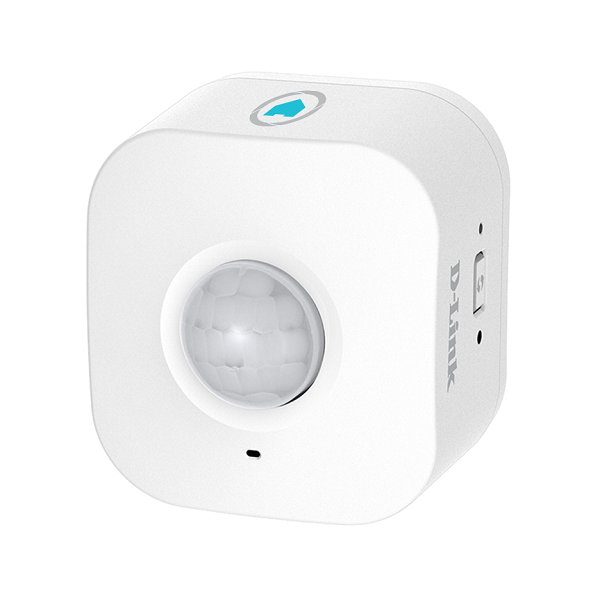 |
| DSP-W245 | Smart Power Strip (4 sockets) Needs polling |
The adapter polls the devices. Sensor readings, motion detection and switching with the buttons of the device are delayed by the poll interval (can be set per device). The newer devices (DSP-W115, DSP-W245) do not report switching or power consumption to the adapter by themselves, see Events and power measurement.
Not supported: DSP-W118. Its local interface does not allow to switch the relay, see analysis.
Configuration:
Devices are managed in the device manager, either in the adapter settings or in the device manager of admin:
- Add detected device: devices announced in the network are offered for selection. Enter the PIN.
- Add device by IP: for devices that were not detected. Enter IP address and PIN.
- Every device can be edited, enabled / disabled and deleted. Deleting a device also deletes its objects.
Settings of a device:
| Name | set a name here, must be unique (for mydlink devices) |
| IP | fill in IP address here, hostname should also work |
| PIN | PIN is printed on a sticker on the device, probably at the bottom. Can be TELNET for DSP-W115, see below. The PIN is stored encrypted and can only be changed in the device manager. |
| Poll interval | per device poll interval Set 0 to disable polling. Recommendation: Set a fast poll interval for sensors and a longer one for plugs. |
| enable | if not enabled, will not be polled or controlled. Devices that are not plugged in can be disabled to avoid network traffic and error messages in the log. |
| NTP server | only older devices like DSP-W215 and DCH-S150: time server that is set on the device. Empty keeps the setting of the device. These devices use ntp1.dlink.com. Without correct time the timestamps of the motion detector are wrong, so a local time server (e.g. your router) is a good choice. |
Settings of the motion detector (DCH-S150)
The states of the motion detector also allow to change its settings:
sensitivity: sensitivity of the sensor, 0 - 100.backoff: time in seconds after a detection, in which the detector does not report a new detection. The device uses 30 seconds by default. With a short time (e.g. 1 - 5 seconds) and a short poll interval new motion is detected much earlier.detectionEnabled: switches motion detection on or off.
Every change of the configuration restarts the adapter.
The adapter does not interfere with the use of the app.
Setup of DSP-W115
DSP-W115 and other newer devices use a completely different protocol and a different setup. There are two ways to use them.
- Use App and Adapter at the same time: If you want to keep using the app, you have to put the device into factory mode, following this procedure:
- Reset device into recovery mode by holding the wps/reset button during boot until it starts blinking red instead of orange.
- Now a telnet deamon is running, connect to the device wifi
- Run
telnet 192.168.0.20and login withadmin:123456(or use putty, don't forget to selecttelnetinstead ofssh). - Run
nvram_set FactoryMode 1 - Run
reboot; exit;to reboot the device. - Now you should enter
TELNETas Pin, and the adapter will retrieve the required data from the device itself. - Don't want to use the App
- Remove the device from the app, this will reset the device
- Start setup in the app again and configure your Wifi on the device.
- Now the device will reoobt and connect to your Wifi. During that time close the app, make sure it is really closed.
- Now the device should be connected to your Wifi and not connected to the app, so that the PIN from the sticker will work in the adapter. (If the device does not connect to your wifi or the device does not accept login via the PIN please try again. Press the button on the device until it lights up red in order to reset.
Changelog
2.1.0 (2026-10-12)
- (Garfonso) feat: sensitivity, backoff time and detection of motion detectors can be changed with states
- (Garfonso) feat: NTP server of older devices (DSP-W215, DCH-S150) can be set in the device manager
- (Garfonso) feat: devices are polled right after start
- (Garfonso) fix: disabled devices were shown as connected
- (Garfonso) docs: DSP-W245 is tested, DSP-W118 is not supported, devices have to be polled
2.0.0 (2026-10-11)
- (copilot) Breaking: Adapter requires node.js >= 22 now
- (Garfonso) Breaking: Adapter requires js-controller >= 7.0.7 and admin >= 8.0.14 now
- (Garfonso) Breaking: PINs are encrypted by js-controller and hidden from other adapters. The configuration is converted on first start, the adapter restarts once. After a downgrade to 1.3.x the PINs have to be entered again.
- (Garfonso) feat: devices are added, edited, enabled / disabled and deleted in the device manager
- (Garfonso) feat: settings page uses jsonConfig and embeds the device manager (#594, #414)
- (Garfonso) fix: adapter did crash on invalid data from websocket devices (#384)
- (Garfonso) fix: auto detection did not work on Linux (replaced mdns-discovery with multicast-dns)
- (Garfonso) fix: total power consumption was written to currentPower
- (Garfonso) fix: log in again if session of a device expired
- (Garfonso) fix: polling can be disabled for devices with known model
- (Garfonso) fix: normalize MAC addresses, fixes endless loop if another device answers on the configured IP
- (Garfonso) fix: detect changed IP of devices and update the configuration
- (Garfonso) fix: websocket devices were reported reachable while offline
- (Garfonso) fix: websocket devices reconnect after they were offline (dlink_websocketclient 0.6.2)
- (Garfonso) fix: pause login of websocket devices for 10 minutes if they refuse it or the PIN is wrong (device locks itself after 10 invalid tokens)
- (Garfonso) fix: no new timers during unload
- (Garfonso) chore: reduced log noise
- (Garfonso) chore: tested with node.js 26 (#632)
- (Garfonso) chore: dependencies updated
1.3.6 (2024-05-24)
- fixed: crash with empty pin.
1.3.5 (2023-10-30)
- fixed: wrong type warnings with legacy devices
1.3.4 (2023-08-18)
- fixed: missing build...
License
MIT License
Copyright (c) 2026 iobroker-community-adapters iobroker-community-adapters@gmx.de
Copyright (c) 2024-2025 Garfonso garfonso@mobo.info
Permission is hereby granted, free of charge, to any person obtaining a copy of this software and associated documentation files (the "Software"), to deal in the Software without restriction, including without limitation the rights to use, copy, modify, merge, publish, distribute, sublicense, and/or sell copies of the Software, and to permit persons to whom the Software is furnished to do so, subject to the following conditions:
The above copyright notice and this permission notice shall be included in all copies or substantial portions of the Software.
THE SOFTWARE IS PROVIDED "AS IS", WITHOUT WARRANTY OF ANY KIND, EXPRESS OR IMPLIED, INCLUDING BUT NOT LIMITED TO THE WARRANTIES OF MERCHANTABILITY, FITNESS FOR A PARTICULAR PURPOSE AND NONINFRINGEMENT. IN NO EVENT SHALL THE AUTHORS OR COPYRIGHT HOLDERS BE LIABLE FOR ANY CLAIM, DAMAGES OR OTHER LIABILITY, WHETHER IN AN ACTION OF CONTRACT, TORT OR OTHERWISE, ARISING FROM, OUT OF OR IN CONNECTION WITH THE SOFTWARE OR THE USE OR OTHER DEALINGS IN THE SOFTWARE.