The website has moved and been rebuilt. It's now called iobroker.com , and anyone who's already visited it will have noticed the difference in appearance. But there's a lot hidden beneath the surface that you won't find unless someone points it out. That's precisely what this is about.
Light and dark
The page appears dark, just like the admin interface. If you prefer a lighter reading experience, open the menu in the top right corner behind the three lines: there you'll find the sun and moon icon. One click flips the entire page, including the documentation, blog, and adapter list. Your choice is saved in the browser and will be displayed again on your next visit.
The search knows everything
Press Ctrl+K anywhere on the page (⌘K on a Mac). A window will open that simultaneously searches the documentation, adapters, and blog.
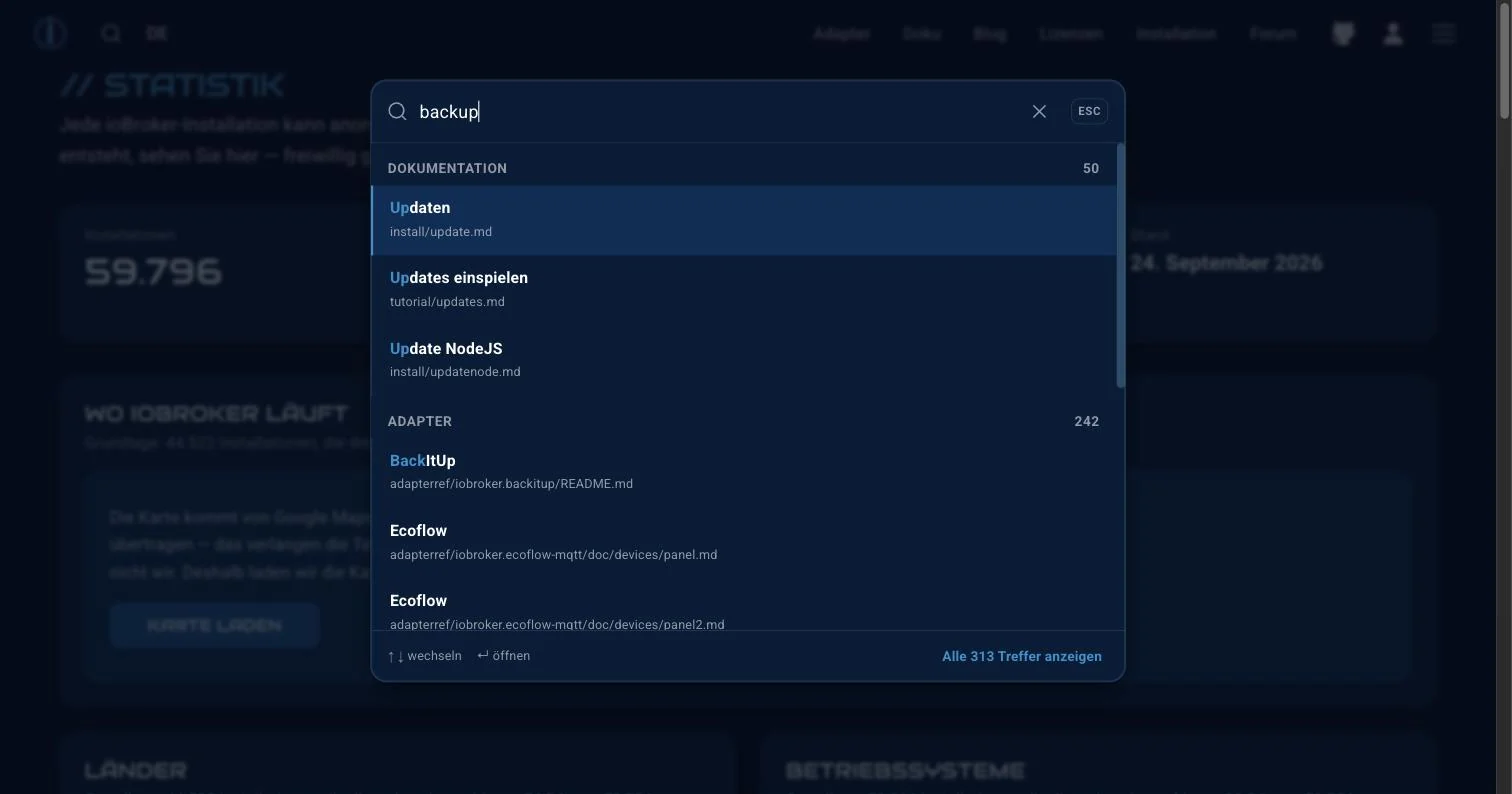
The results are grouped by category, and the total number of results is displayed below. The entire interface is controlled via the keyboard: use the arrow keys to navigate, press Enter to open, and Escape to close. The interface remembers your recent searches, so you don't have to type again next time.
For those who prefer clicking: the magnifying glass icon in the top left does the same thing.
Adapter overview
There are currently over 800 adapters listed. You can filter by category on the left. Each category shows how many adapters are in that category: 90 under Energy, 69 under Hardware, 66 under Climate Control.
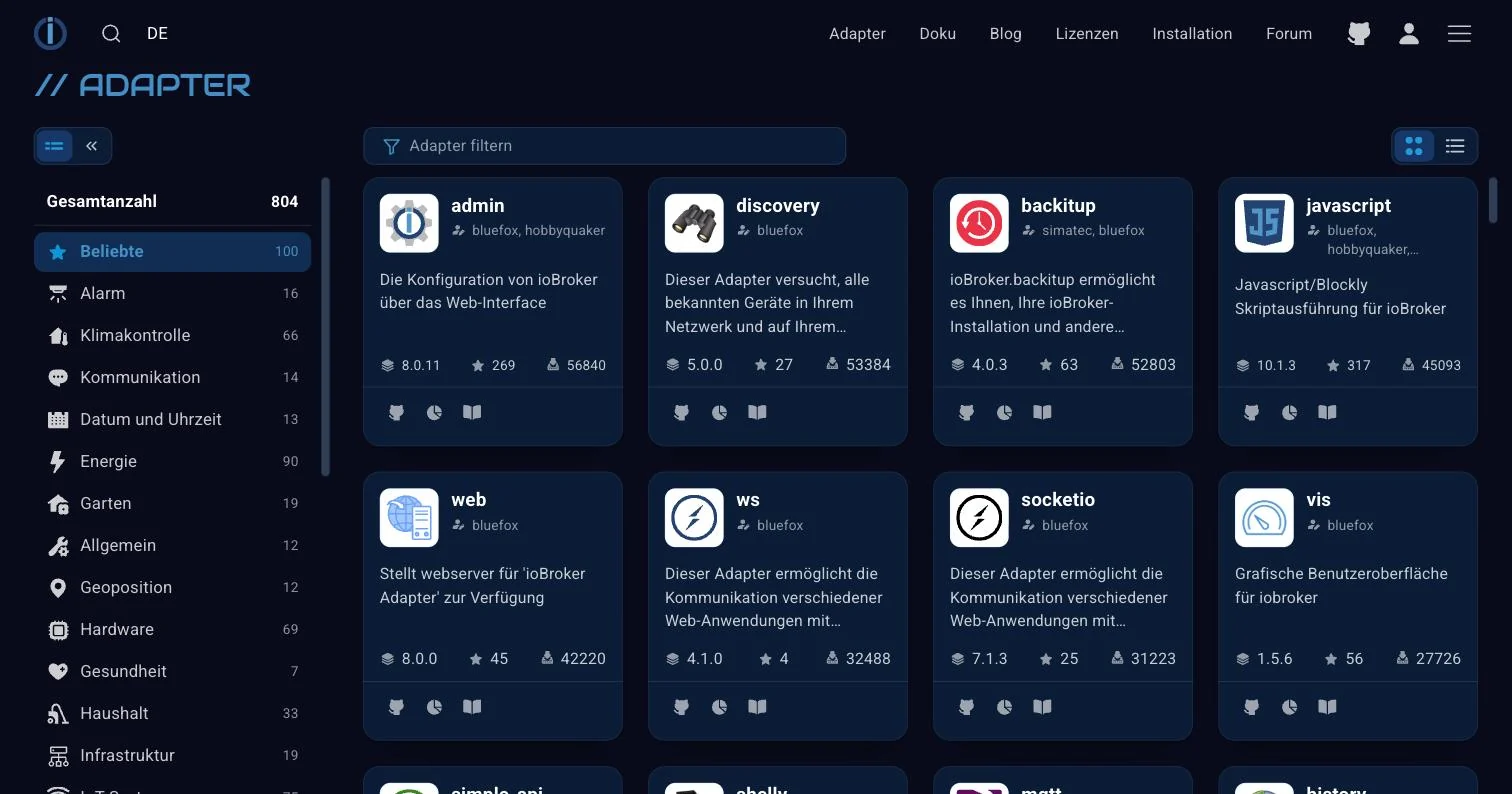
Each tile displays the stable version, the rating, and the number of installations. The three small icons below lead to GitHub, the README, and statistics that reveal more than you might expect:
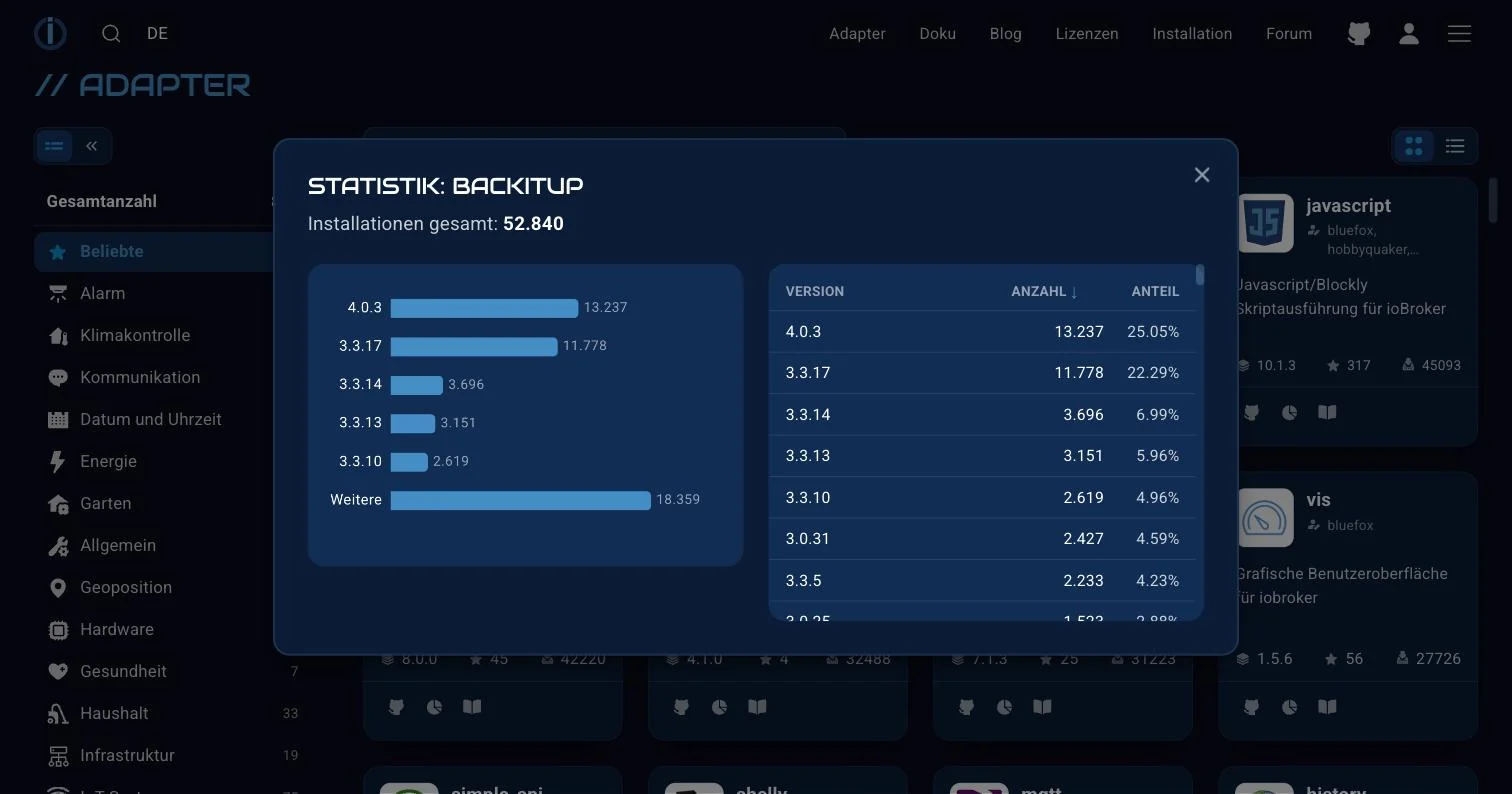
This is the distribution of installed versions. In BackItUp, the largest block is on the current version 4.0.3, but the second largest is still on the older 3.3.17. This is a useful figure for adapter authors and a good opportunity for everyone else to check if they are among the laggards.
You can switch between tile and list view in the top right corner.
The documentation
The documentary is available in three languages : German, English, and Russian. German is the source material; the rest is derived from it.
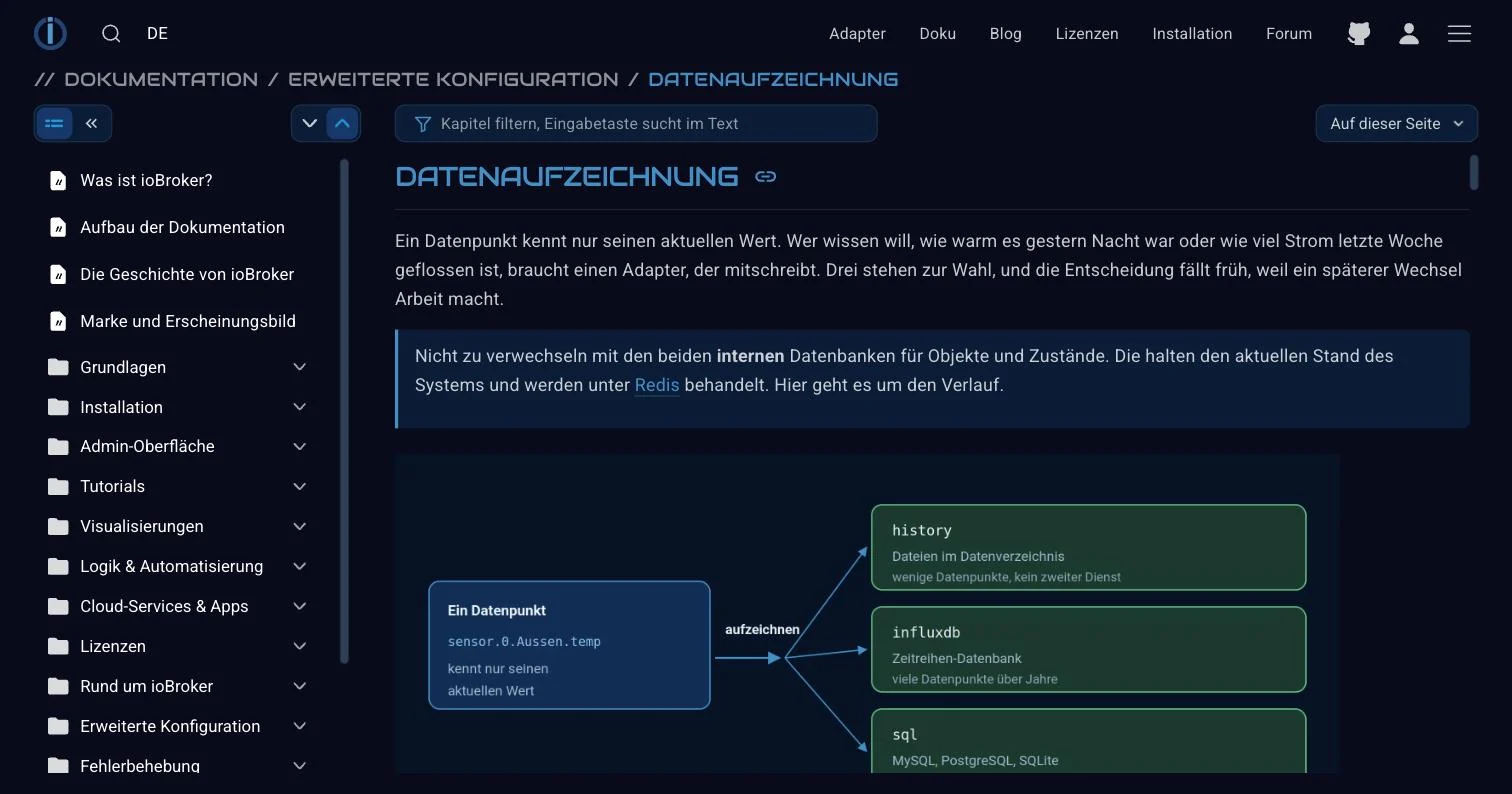
Four things that make everyday life easier:
- The field above the text filters the chapters in the sidebar. If you know the topic is backup, you can type that in and only see relevant content. Pressing Enter searches the text itself.
- In the upper right corner of this page, a table of contents for the currently open page will appear.
- Each heading has its own anchor . When you reply in the forum, you can use this to link directly to the relevant paragraph instead of the entire page.
- Images can be clicked and then displayed in a larger size. Within the text, they are displayed at column width. Previously, the wide diagrams and screenshots from the admin panel were too small to read.
The statistics
The part where most people get stuck longer than they intended.
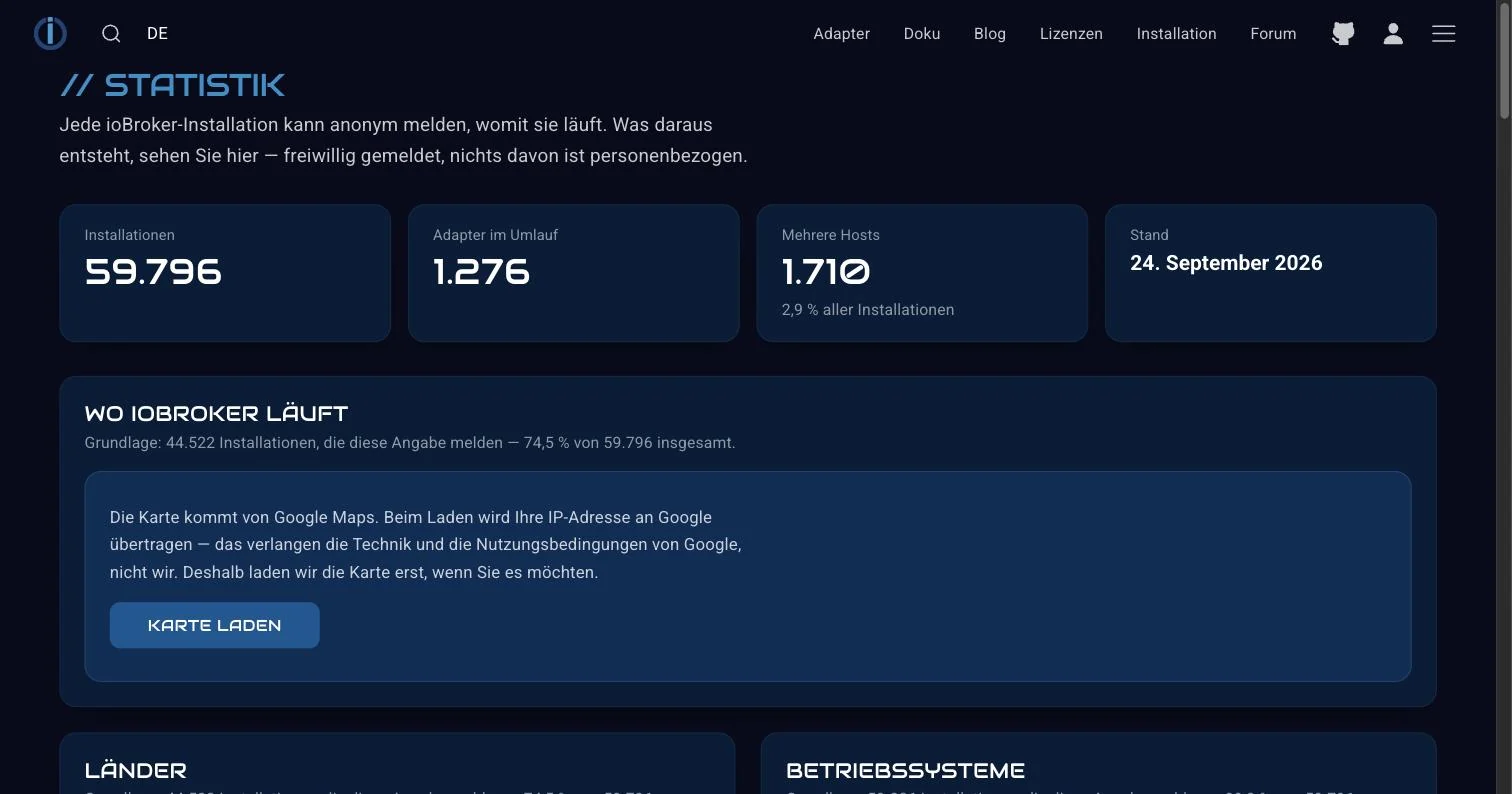
At the top are four charts: the number of installations, the number of adapters in use, the number of installations running across multiple hosts, and the date of the figures. Below are countries, operating systems, node versions, and a map.
Two things to note, since they are asked about this regularly. The figures are reported voluntarily ; every installation can disable this, and none of it is personally identifiable. Also, the map comes from Google Maps, which is why it only loads when you request it: loading it sends your IP address to Google, and this shouldn't happen without your consent.
The blog
You're reading this right now. It has an RSS feed for each language ; for German, it's blog_de.xml . Anyone using a feed reader won't miss anything.
The posts are categorized, such as Review, Announcement, or News. Each post gets its own preview image when shared. So, if you post a link in the chat or forum, the actual title image of the post will appear, not some placeholder.
And so you don't miss anything without having to constantly check: next to "Blog" in the header of the page, a small blue dot appears as soon as a new post is published that you haven't seen yet. Once you've visited the blog overview, it disappears again. Nothing is saved except a value in your browser; no account, no login.
The brand for download
A new page showcases our brand and visual identity . The logo, wordmark, and combined version are available for download there as SVG and PNG files, all in a single ZIP archive, including the two shades of blue with their values and the fonts.
This is intended for everyone who creates something using the name: adapter authors, presentations, videos, press. Now nobody has to cut a logo out of a screenshot anymore.
The license page
At the top of every page is the heading "Licenses," and behind it lies more than just a price list. Five sections at the top serve as an introduction: Remote Access, Voice Control, Services, Visualization, and Licenses. Below these are separate sections for each of these: Remote Access, Smart Assistant and Services, vis-2, JägerDesign Widgets, and KNX.
Each section answers the questions that usually end up in the forum. Which license do you actually need for vis-2, and when do you need the commercial one? What are the benefits of an offline license? Do you need one for KNX? What happens when remote access expires? The answer is reassuring: ioBroker continues to run locally, including all automations; only external access ends. And the most frequently asked question has its own paragraph: iobroker.net or iobroker.pro?
The prices, durations, and data point levels on the cards come directly from the shop. Anything that's currently unavailable isn't shown. During a promotion, the card displays the promotional price instead of the regular price.
How the two types of licenses work, what they depend on and why the normal case doesn't need any at all, is explained in the documentation under "Licenses Overview ".
The profile
Behind the person icon in the top right corner is your profile, and that's where the biggest change lies: Adapter licenses and access licenses are now displayed in the same interface for the first time. The old addresses iobroker.net and iobroker.pro redirect directly there. There's a separate article about this.
If something is missing
If you're missing something or something isn't working: post it in the forum . The site is the way it is in many places because someone said it was impractical before.